HiFi Wired Earphones with Mic: Fit, Sound, Compatibility
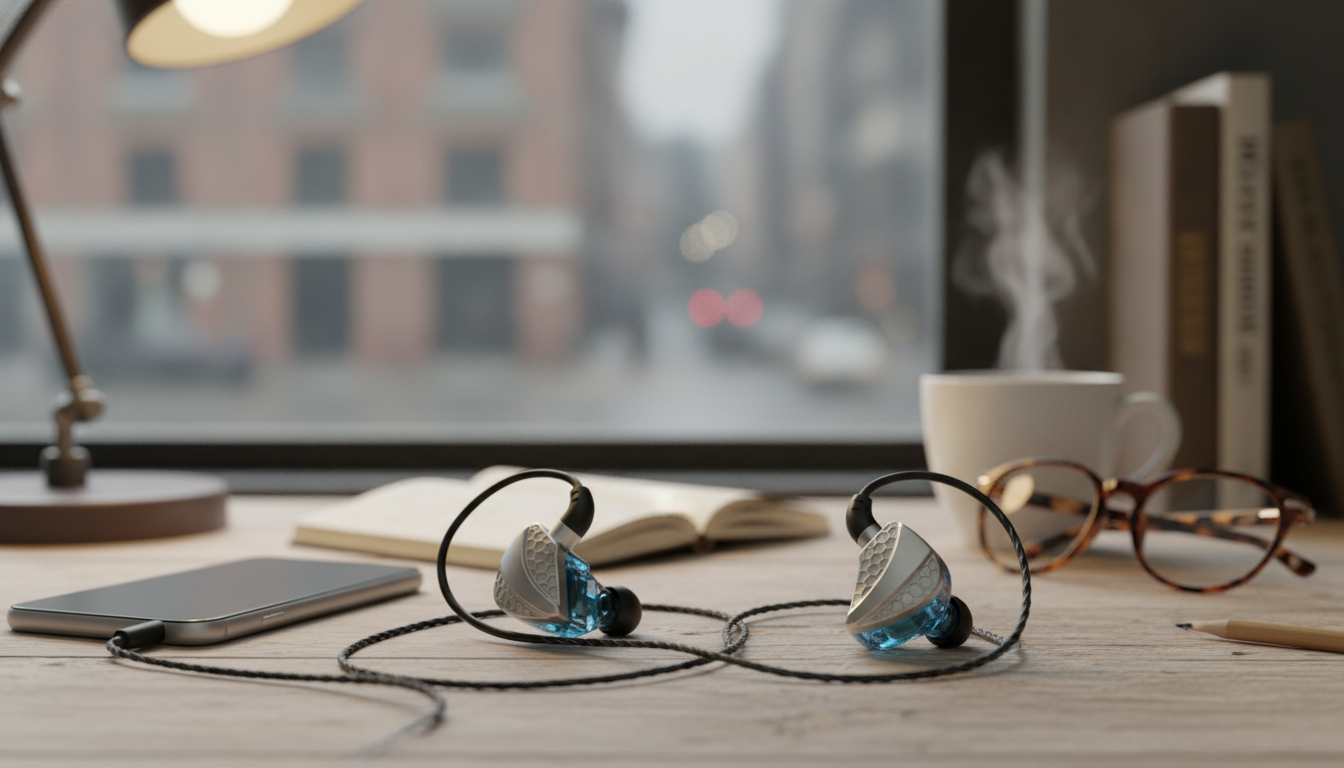
HiFi Wired Earphones with Mic: Clear Sound and Reliable Calls for Everyday Use
Wired earphones still make sense when consistent audio, low latency, and plug-and-play calling matter. A solid pair of HiFi wired earphones with a built-in microphone can cover everything from quick phone calls to long study sessions—without pairing issues, battery anxiety, or random dropouts. Below is a practical guide to what these earphones do best, what influences real-world sound and mic quality, how to get a comfortable fit, and what to check so the mic and controls behave correctly with your phone, tablet, or computer. For more guidance, see Reviews by JayceOoi | Page 2 – Head-Fi.
What These Earphones Are Best For
Wired sets remain a dependable choice because they keep the connection simple and predictable. They’re especially helpful in routines where interruptions or latency are noticeable. For further reading, see HIFIMAN Ananda BT | Headphone Reviews and Discussion – Head-Fi.
- Phone calls and video meetings where a simple inline mic beats speakerphone noise
- Commutes and walks where stable wired playback avoids dropouts and battery worries
- Gaming and streaming on phones, tablets, and laptops with minimal audio delay
- Backup audio for travel and emergencies when wireless batteries run out
- Students and remote workers needing an affordable, dependable headset option
Sound and Mic Basics That Affect Real-World Performance
Specs can be useful, but day-to-day results usually come down to tuning, fit, and how the mic sits while you move. A few fundamentals make the biggest difference.
- Driver tuning: Balanced sound helps voices stay clear while keeping music enjoyable. If mids are recessed, podcasts and calls can sound distant even when volume is high.
- Passive isolation: A snug seal reduces outside noise, so you can listen at lower volumes. That’s a comfort win and often makes calls easier to follow in busy places.
- Microphone placement: Inline mics work best when the cable isn’t rubbing clothing. If you’re walking, try routing the cable under a jacket or using a clip if included.
- Cable design: Thicker jackets can reduce tangles and microphonics (that “cable thump” you hear when it bumps your shirt).
- Controls: Single-button remotes vary by device—calling and play/pause are most universal, while volume buttons are the most likely to differ across phones and adapters.
If you’re curious why some headsets behave differently, it often traces back to wiring standards like CTIA for TRRS headsets (a common modern layout for mic-enabled 3.5 mm plugs). A quick reference is available here: CTIA/AHJ Headset Jack Standard.
Fit, Comfort, and Everyday Durability
Comfort and longevity are usually decided before you even press play. Small habits—like picking the right tip size and storing the cable correctly—can noticeably improve both sound and lifespan.
- Ear tip sizing matters more than price: Proper seal improves bass and reduces leakage. If music sounds thin, the fit is the first thing to adjust.
- Lightweight housings: Lighter earbuds reduce ear fatigue during long listening sessions, which is helpful for online classes or extended calls.
- Strain relief: Reinforcement at the plug and earpieces helps prevent common cable failures, especially if the earphones are frequently packed and unpacked.
- Storage habit: Coil loosely (not tightly). Tight wraps can create kinks and internal wire stress over time.
- Sweat and rain: Basic wired sets can handle light use, but drying after workouts extends life and helps avoid corrosion around the plug.
Compatibility Checklist Before Buying
Quick Compatibility Guide
| Device setup | What usually works | What to watch for |
|---|---|---|
| Phone with 3.5 mm jack | Audio + inline mic + call button | Volume controls may vary by model |
| Phone without 3.5 mm jack | Audio + mic via USB-C/Lightning adapter | Adapter must support mic input |
| Laptop with combo headset port | Audio + mic in one jack | Some laptops auto-switch; check sound settings |
| Desktop PC with separate mic/headphone ports | Audio + mic with a Y-splitter | Without splitter, mic may not be detected |
What to Expect From a Budget-Friendly HiFi Wired Set
Product Snapshot: HiFi Wired Earphones with Mic
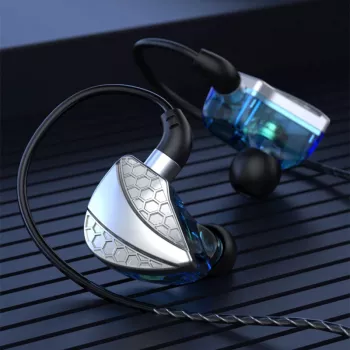
If a simple, low-fuss headset is the goal, HiFi Wired Earphones with Mic are an easy everyday pick. They’re in stock and ready to ship, designed for wired listening with an inline microphone for calls, and make a practical choice for students, commuters, or anyone who wants a backup pair for travel.
For shoppers building an everyday carry setup, the store also has in-stock essentials that pair well with on-the-go routines, such as the Off-White Cotton Script Skate Hoodie (comfortable layering for commutes) and Fendi Match Embossed Sneakers in Nude Pink (durable daily wear).
Care Tips for Better Sound and Longer Lifespan
FAQ
Will the microphone work with all phones and laptops?
Usually yes on devices with a combo headset jack or with a proper USB-C/Lightning adapter that supports mic input. Some desktop PCs need a headset splitter if they use separate mic and headphone ports.
Why does the sound seem quiet or thin sometimes?
The most common reason is an imperfect seal. Try different ear tip sizes, reseat the earphones, and check for debris in the tips or device port; low-quality adapters can also reduce volume.
Do inline buttons work the same on Android and iPhone?
Call answer/end and play/pause tend to be the most consistent. Volume and track controls can vary depending on the phone model, OS behavior, and the adapter being used.









Leave a comment